'Google Sheets vs Microsoft Excel : Which Spreadsheet Tool is Better for Indian Finance Students and Professionals in 2025?
Google Sheets vs Microsoft Excel: Which Spreadsheet Tool is Better for Indian Finance Students and Professionals in 2025?'
Choosing the right spreadsheet tool can make or break your finance career in India's competitive market. Google Sheets vs Microsoft Excel sparks endless debates among Indian finance students and professionals, but the answer isn't as simple as picking the more popular option.
This guide is designed for finance students preparing for CA, CFA, or MBA programs, working professionals in banking, accounting, and financial analysis, and anyone managing financial data in India's unique business environment.
We'll break down the real costs that matter to Indian users, including student discounts and rupee pricing, plus examine how each platform handles the complex financial modeling and data analysis you'll actually use in your career. You'll also discover which tool gives you better job market advantages and handles India-specific challenges like internet connectivity and collaboration with global teams.
Core Features and Functionality Comparison
Real-time collaboration capabilities for team projects
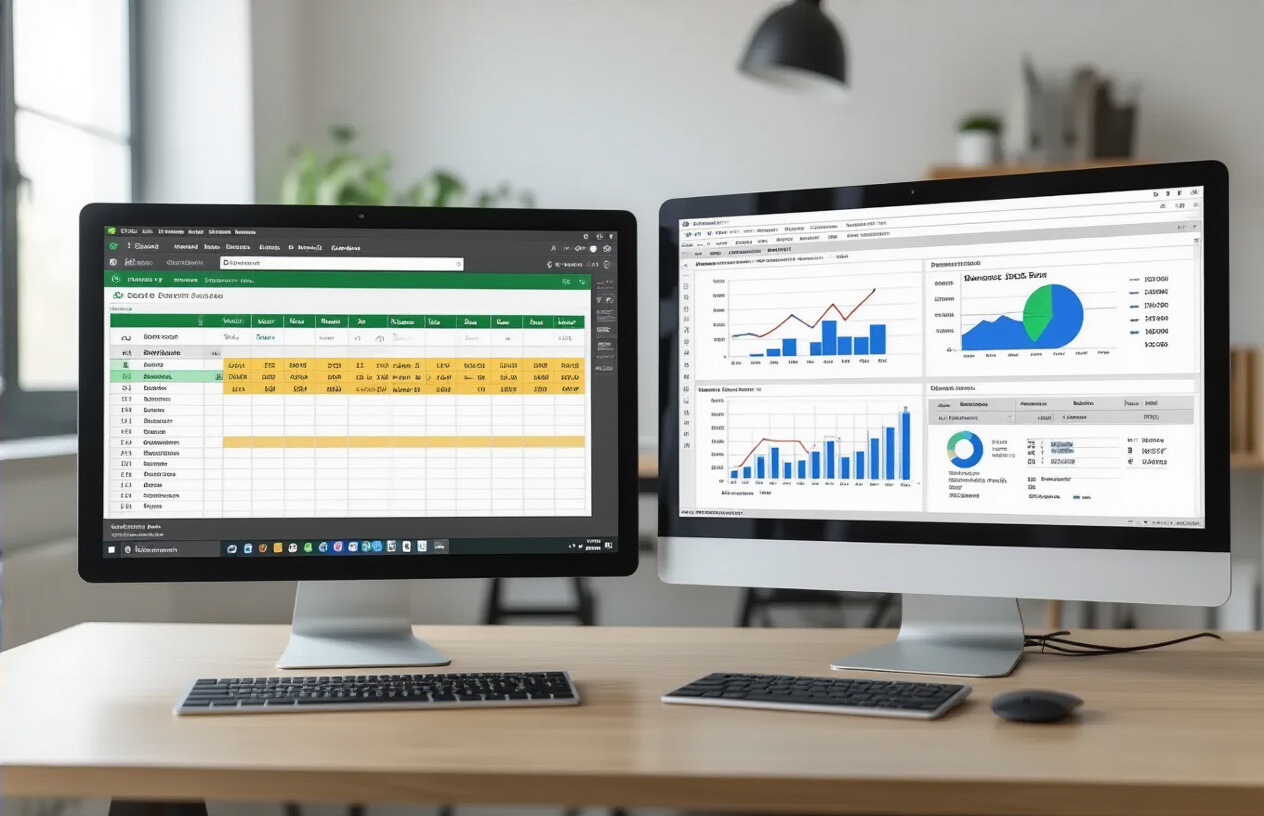
Google Sheets dominates the collaboration game with its cloud-native design. Multiple team members can work on the same spreadsheet simultaneously, seeing edits in real-time with color-coded cursors showing who's making changes where. Comments and suggestions work seamlessly, making project discussions flow naturally within the document itself.
Excel's collaboration story has improved dramatically with Microsoft 365, but it still feels like an afterthought compared to Sheets. Co-authoring works well when everyone has proper licensing, but the experience can be clunky with version conflicts and sync issues. The desktop version of Excel still struggles with real-time collaboration, forcing teams to use the web version for smooth teamwork.
For Indian finance students working on group assignments or professionals managing team budgets, Google Sheets offers the smoother experience. You can share a link and get everyone contributing instantly, regardless of their device or operating system.
Formula complexity and advanced calculation options
Excel flexes its muscles here with a massive library of built-in functions and superior handling of complex calculations. Financial professionals get access to specialized functions like XIRR, MIRR, and advanced statistical tools that Google Sheets either lacks or handles poorly.
Excel's formula engine processes large datasets faster and handles array formulas more efficiently. The new dynamic arrays and XLOOKUP function give Excel users powerful tools that Google Sheets is still catching up to implement.
| Feature | Google Sheets | Microsoft Excel |
|---|---|---|
| Total Functions | 400+ | 500+ |
| Financial Functions | Basic set | Comprehensive |
| Array Formulas | Limited | Advanced |
| Custom Functions | Google Apps Script | VBA + Office Scripts |
Google Sheets covers most day-to-day needs with solid basic functions, but finance professionals working with complex models will find Excel's depth invaluable. The gap is narrowing, but Excel maintains its edge in computational power.
Data visualization and charting tools
Both platforms offer decent charting capabilities, but each has distinct strengths. Excel provides more chart types and customization options out of the box. Creating professional-looking financial dashboards feels more intuitive in Excel, with better control over formatting and design elements.
Google Sheets keeps things simple with clean, modern chart designs that work well for presentations. The integration with Google's ecosystem means charts can easily flow into Slides or Docs. However, advanced chart customization options are limited compared to Excel.
Excel's PivotCharts and advanced visualization tools give it an edge for complex financial analysis. The ability to create sophisticated what-if scenarios and interactive dashboards makes it the preferred choice for detailed financial modeling.
File format compatibility and data import options
Excel wins on file format support, handling everything from CSV and XML to specialized financial data formats. Its robust import wizards can parse complex data structures from various sources, making it easier to work with data from different financial systems.
Google Sheets handles common formats well but struggles with Excel's more advanced features when importing complex spreadsheets. Macros don't transfer, and some formatting gets lost in translation. However, its web-based nature makes it excellent for importing data from online sources and APIs.
For Indian professionals who need to work with data from multiple banking systems or financial software, Excel's broader compatibility proves more practical for daily operations.
Cost Analysis for Indian Students and Professionals

Free tier limitations and paid subscription pricing
Google Sheets offers a generous free tier through Google Workspace (formerly G Suite), providing 15GB of storage shared across Google Drive, Gmail, and Google Photos. This free version includes all core spreadsheet functionality, real-time collaboration, and basic data analysis tools. The paid Google Workspace Individual plan costs ₹650 per month, while Business Starter begins at ₹136 per user monthly.
Microsoft Excel follows a different model. While Excel Online provides basic functionality for free, the full desktop application requires a Microsoft 365 subscription. Personal plans start at ₹489 monthly, while Microsoft 365 Business Basic costs ₹224 per user monthly. For Indian students and entry-level professionals, this price difference becomes significant over time.
| Feature | Google Sheets Free | Excel Online Free | Microsoft 365 Personal |
|---|---|---|---|
| Storage | 15GB shared | 5GB OneDrive | 1TB OneDrive |
| Desktop app | No | No | Yes |
| Advanced functions | Limited | Very limited | Full access |
| Monthly cost | Free | Free | ₹489 |
Educational discounts and institutional access
Educational institutions across India often receive substantial discounts on both platforms. Microsoft offers Office 365 Education for free to eligible students and teachers, including full Excel desktop access. Many Indian universities have already implemented this program, giving students complete Microsoft Office suite access during their academic tenure.
Google provides G Suite for Education at no cost to qualified educational institutions, covering unlimited storage and advanced collaboration features. However, students lose access once they graduate unless they transition to personal accounts.
The real advantage for Indian finance students lies in institutional partnerships. Top business schools like IIMs, XLRI, and ISB typically provide both platforms, allowing students to gain proficiency in industry-standard tools without personal subscription costs. Many universities also negotiate site licenses that extend beyond graduation for alumni networks.
Long-term value proposition for career growth
Career progression in Indian finance heavily favors Excel proficiency. Investment banks, consulting firms, and corporate finance roles predominantly use Excel for financial modeling, valuation, and analysis. Mastering advanced Excel features like Power Query, Power Pivot, and VBA automation commands premium salaries in the Indian job market.
Google Sheets skills, while valuable for collaboration and basic analysis, don't carry the same weight in traditional finance recruiting. However, fintech startups and modern financial services increasingly adopt Google Workspace for its collaborative advantages and lower operational costs.
Consider the salary implications: Senior financial analysts proficient in advanced Excel modeling typically earn 15-25% more than those with basic spreadsheet skills. Investment banking analysts starting salaries range from ₹12-18 lakhs annually, with Excel expertise being non-negotiable. Meanwhile, Google Sheets proficiency aligns more with roles in digital finance, analytics, and startup environments where collaborative workflows take precedence over complex modeling.
Hidden costs and additional feature expenses
Beyond subscription fees, both platforms involve hidden expenses that Indian professionals should consider. Excel's true power often requires complementary software like Power BI (₹816 monthly) or advanced training courses costing ₹15,000-50,000 for professional certification programs.
Google Sheets integrates seamlessly with other Google services, but advanced analytics might require Google Cloud Platform credits or third-party add-ons. Popular finance-focused add-ons like Supermetrics or ImportXML functions may involve additional monthly fees ranging from ₹500-2,000.
Hardware requirements differ significantly. Excel 2024 demands more processing power and RAM, especially for large datasets common in financial analysis. Indian professionals often need laptop upgrades costing ₹30,000-80,000 to run Excel efficiently. Google Sheets runs smoothly on budget laptops and Chromebooks, making it accessible for students with limited resources.
Training costs vary dramatically. Excel certification programs from Microsoft or professional institutes cost ₹10,000-25,000, while Google Sheets courses are often freely available or significantly cheaper. However, Excel training provides greater career ROI in traditional finance roles within the Indian market.
Performance and Accessibility in Indian Context

Internet connectivity requirements and offline functionality
Google Sheets relies heavily on internet connectivity for most of its features. While it offers basic offline editing through Chrome browser settings, the functionality becomes quite limited without a stable connection. You can view and make simple edits to recently opened files, but advanced functions, real-time collaboration, and add-ons won't work offline. For Indian finance students juggling between campus Wi-Fi, mobile data, and home connections, this dependency can be frustrating during power outages or network issues.
Microsoft Excel provides robust offline functionality across all its applications. The desktop version works completely offline, allowing full access to all features, formulas, and data analysis tools. Even Excel Online offers better offline capabilities compared to Google Sheets, syncing changes once connectivity returns. This proves valuable for professionals working in tier-2 and tier-3 cities where internet reliability varies.
The mobile data consumption also differs significantly. Google Sheets constantly syncs data in the background, consuming more mobile data - a critical consideration given India's data cost sensitivity. Excel's offline-first approach helps conserve precious mobile data allowances.
Mobile app performance on Indian smartphone brands
Popular Indian smartphone brands like Xiaomi, Vivo, OPPO, and Realme often run customized Android versions with aggressive battery optimization. Google Sheets mobile app generally performs well across these devices, thanks to Google's optimization for the Android ecosystem. The app launches quickly on budget smartphones (₹10,000-₹20,000 range) commonly used by students and entry-level professionals.
However, Google Sheets can struggle with complex spreadsheets containing multiple formulas or large datasets on entry-level devices with 3-4GB RAM. The app may become sluggish or crash when handling financial models with extensive calculations.
Microsoft Excel mobile app shows mixed performance on Indian smartphone brands. While it runs smoothly on flagship devices, budget smartphones often experience longer loading times and occasional app crashes, especially when working with Excel files created on desktop versions. The app's memory usage tends to be higher than Google Sheets, which can be problematic for devices with limited RAM.
OnePlus, Samsung, and other premium brands handle both applications well, but the majority of Indian users rely on budget devices where these performance differences become noticeable during daily use.
Language support for regional Indian languages
Google Sheets offers extensive language support, including Hindi, Tamil, Telugu, Bengali, Gujarati, Kannada, Malayalam, Marathi, and Punjabi. The interface translates completely into these languages, making it accessible for users more comfortable with regional languages. Google's voice input feature works remarkably well with Hindi and other Indian languages, allowing users to input data through speech recognition.
Microsoft Excel provides Hindi language support in its interface, but the regional language options are more limited compared to Google Sheets. While Excel supports Unicode text entry for Indian languages, the complete interface translation isn't available for all regional languages that Google Sheets supports.
For finance students and professionals working in regional markets or government sectors where local language documentation is common, Google Sheets provides a clear advantage. The ability to create financial reports, invoices, and analysis in regional languages can be particularly valuable for CA students, banking professionals, and small business owners serving local markets.
Cloud storage integration and data security
Google Sheets integrates seamlessly with Google Drive, providing 15GB free storage shared across Google services. Each file saves automatically to the cloud, with version history and real-time backup. For Indian users, Google's data centers in Mumbai and Chennai ensure faster sync speeds and better performance compared to international cloud services.
Microsoft Excel integrates with OneDrive, offering 5GB free storage. However, many Indian organizations and educational institutions provide Office 365 subscriptions with 1TB OneDrive storage, making this less of a concern for students and professionals with institutional access.
Data security remains a crucial concern for finance professionals handling sensitive information. Google Sheets employs enterprise-grade security with two-factor authentication, but data residency laws in India make some organizations cautious about storing financial data on Google's servers. Microsoft Excel, especially the desktop version, allows complete local data control, which many Indian financial institutions prefer for compliance reasons.
Both platforms comply with Indian data protection requirements, but Excel's hybrid approach (local + cloud) often provides more flexibility for organizations with strict data governance policies. Google Sheets' collaboration features, while powerful, require careful permission management to prevent unauthorized access to sensitive financial data.
Industry-Specific Applications for Finance Professionals

Financial modeling and forecasting capabilities
Both Excel and Google Sheets offer robust tools for building financial models, but they shine in different areas. Excel leads the pack when it comes to advanced financial functions and complex modeling scenarios. Its built-in functions like XNPV, XIRR, and PMT make DCF models and investment analysis straightforward. The Goal Seek and Solver add-ins are game-changers for scenario analysis and optimization problems that finance professionals encounter daily.
Google Sheets catches up with its real-time collaboration features, making it perfect for team-based financial planning. Multiple analysts can work simultaneously on budget forecasts or valuation models without version control nightmares. The automatic saving feature prevents data loss during lengthy modeling sessions.
Excel's pivot tables remain superior for complex financial data analysis, while Google Sheets' QUERY function offers SQL-like data manipulation that many find intuitive. For Monte Carlo simulations and sensitivity analysis, Excel's Data Analysis Toolpak provides more sophisticated statistical tools.
Integration with Indian banking and accounting software
The integration landscape varies significantly between these platforms in the Indian market. Excel maintains stronger compatibility with popular accounting software used by Indian businesses, including Tally ERP 9, Zoho Books, and SAP Business One. Most Indian banks provide transaction data exports in Excel-compatible formats, making reconciliation processes smoother.
Google Sheets excels in cloud-based integrations with modern fintech solutions. Apps like Razorpay, Paytm Business, and PhonePe for Business offer direct Google Sheets integration through APIs. This real-time data sync capability helps finance teams track digital transactions without manual data entry.
For traditional banking relationships, Excel's macro capabilities allow for automated data processing from bank statements and trade finance documents. However, Google Sheets' web-based nature makes it easier to connect with online banking portals and digital payment platforms that are increasingly popular among Indian businesses.
Compliance with Indian financial reporting standards
Indian finance professionals must navigate Ind AS (Indian Accounting Standards) and various regulatory requirements. Excel's extensive template library includes Ind AS-compliant financial statement formats, making compliance reporting more straightforward. The software's advanced formatting options help create professional financial reports that meet regulatory presentation standards.
Google Sheets offers collaborative advantages for compliance workflows. Multiple stakeholders can review and approve financial statements simultaneously, creating clear audit trails. The revision history feature helps track changes for regulatory documentation purposes.
Both platforms support the detailed disclosure requirements under Companies Act 2013, but Excel's superior chart and graph capabilities make it easier to create the visual representations often required in annual reports. Google Sheets' comment and suggestion features streamline the review process with auditors and compliance officers.
Automation features for repetitive financial tasks
Excel's macro programming capabilities using VBA provide extensive automation possibilities for routine finance tasks. Indian professionals commonly automate GST calculations, TDS computations, and monthly financial closing processes using Excel macros. The Record Macro feature makes automation accessible even for non-programmers.
Google Sheets leverages Google Apps Script for automation, offering similar functionality with JavaScript-based programming. The platform's integration with other Google Workspace tools creates seamless workflows for expense reporting, invoice processing, and financial document management.
Both platforms support automated data refresh from external sources, but Google Sheets' cloud nature makes it better suited for automated report distribution via email or shared links. Excel's Power Query feature provides robust data transformation capabilities for preparing financial data from multiple sources.
The choice between platforms often depends on existing IT infrastructure and team collaboration needs rather than pure automation capabilities.
Learning Curve and Skill Development Impact

Ease of learning for beginners and students
Google Sheets wins hands down when it comes to getting started. Students can jump right in without worrying about software installations or licensing headaches. The interface feels familiar to anyone who's used Gmail or other Google services, making the transition smooth for newcomers.
Excel presents a steeper initial climb. The ribbon interface packs tons of features that can overwhelm beginners, and the software installation process sometimes creates barriers for students using shared computers or older devices. However, once students get past the initial setup, Excel's structured approach to organizing functions helps build systematic thinking.
For Indian finance students specifically, Google Sheets offers immediate advantages. Real-time collaboration means study groups can work together on assignments from different locations, sharing costs and insights instantly. The automatic saving feature prevents the dreaded "lost work" scenario that plagues many Excel beginners.
Advanced feature mastery timeline
Mastering Google Sheets typically takes 6-8 months for finance-specific applications. The platform's streamlined approach means fewer functions to learn, but also fewer advanced capabilities. Students can become proficient in pivot tables, basic scripting, and financial modeling relatively quickly.
Excel demands 12-18 months for true proficiency in finance applications. The learning curve steepens significantly when tackling advanced features like Power Query, VBA programming, and complex financial modeling. However, this investment pays dividends in terms of capability and versatility.
| Feature Category | Google Sheets Mastery | Excel Mastery |
|---|---|---|
| Basic formulas | 2-3 weeks | 3-4 weeks |
| Pivot tables | 1-2 months | 2-3 months |
| Advanced functions | 3-4 months | 6-8 months |
| Automation/scripting | 6-8 months | 12+ months |
Career marketability and job requirement alignment
Excel dominates Indian corporate job listings by a significant margin. Banking, consulting, and financial services firms explicitly mention Excel skills in 85% of finance job postings. Advanced Excel knowledge often serves as a differentiator in competitive hiring scenarios.
Google Sheets skills matter more in startups, digital marketing agencies, and modern tech companies. These organizations value collaborative workflows and cloud-first approaches. However, the overall job market still heavily favors Excel expertise.
Finance professionals should prioritize Excel for traditional corporate roles, while keeping Google Sheets skills sharp for collaborative projects and startup environments. The most marketable candidates demonstrate proficiency in both platforms, understanding when each tool serves specific business needs better.
Training resources and community support availability
Excel enjoys decades of established training infrastructure. YouTube channels, online courses, and certification programs abound in Hindi and English. Local training institutes across Indian cities offer Excel courses tailored to finance applications. The community support includes extensive forums, template libraries, and industry-specific resources.
Google Sheets training resources are growing rapidly but remain less comprehensive. Google's own training materials are excellent but limited in scope. The community is smaller but highly engaged, with active forums and collaborative learning approaches.
Indian students benefit from Excel's mature ecosystem of learning resources, including affordable local training options. However, Google Sheets' simpler structure means students can often learn through experimentation and peer collaboration without formal training investments.
Data Management and Scalability Considerations

Large Dataset Handling and Processing Speed
When working with massive financial datasets in India, Excel shows its strength with raw computational power. Excel processes complex calculations, pivot tables, and financial models faster than Google Sheets, especially when dealing with thousands of rows of stock market data or quarterly financial reports. A finance professional analyzing NSE data for 500 companies will notice Excel's superior performance when running multiple VLOOKUP functions or creating dynamic dashboards.
Google Sheets hits performance walls around 10 million cells or when multiple users simultaneously access large datasets. Excel handles files up to 1 million rows and 16,000 columns without breaking a sweat. For Indian finance students working on capstone projects with historical market data, Excel's processing speed becomes crucial during tight submission deadlines.
However, Google Sheets compensates with cloud-based advantages. Your datasets remain accessible from any device, which matters when switching between office computers and mobile devices while commuting in Mumbai or Delhi traffic.
Multi-User Access Control and Permission Settings
Google Sheets dominates collaborative finance work. You can grant specific permissions to team members - view-only access for junior analysts, commenting rights for peers, and full editing access for senior managers. Real-time collaboration means your Mumbai team can work simultaneously with colleagues in Bangalore on quarterly budget planning without version conflicts.
Excel's collaboration requires Microsoft 365, and even then, simultaneous editing can create conflicts. Google Sheets allows granular control: restrict access to specific sheets within a workbook, set expiration dates for shared access, and track who made changes when. For CA firms managing multiple client files, these permission controls ensure data security and regulatory compliance.
Indian finance teams appreciate Google Sheets' sharing simplicity - just send a link instead of emailing heavy Excel attachments that clog inboxes and create version confusion.
Version Control and Audit Trail Capabilities
Google Sheets automatically saves every change with timestamps and user attribution. Finance professionals can review exactly who modified which cells and when, critical for audit compliance and error tracking. The revision history shows a complete timeline of changes, allowing you to restore previous versions instantly.
Excel's version control relies on manual saving and naming conventions. Without Microsoft 365's co-authoring features, tracking changes becomes messy when multiple team members work on financial models. Google Sheets eliminates the "Final_v2_Updated_Final" filename chaos common in Indian offices.
For finance students collaborating on group projects, Google Sheets' automatic version history prevents lost work and allows easy recovery when someone accidentally deletes crucial formulas or data.
Integration with Other Productivity Tools
Excel integrates seamlessly with Microsoft's ecosystem - Power BI for advanced analytics, Outlook for sharing reports, and Teams for collaboration. Indian finance professionals using enterprise Microsoft licenses benefit from these native integrations.
Google Sheets connects effortlessly with Google Workspace tools - automatically pulling data from Google Forms for survey analysis, linking with Google Calendar for deadline tracking, and integrating with Gmail for report distribution. Third-party integrations through Google Apps Script enable connections to Indian banking APIs, GST databases, and stock market feeds.
Both platforms support popular finance tools like QuickBooks and Tally, but implementation complexity varies. Google Sheets' web-based nature often simplifies integration setup for Indian startups and SMEs with limited IT resources.

Both Google Sheets and Microsoft Excel bring unique strengths to the table for finance professionals in India. Google Sheets wins on cost-effectiveness, real-time collaboration, and accessibility across devices - making it perfect for students, small teams, and professionals who need to work on the go. Excel takes the lead with its advanced analytical tools, superior performance with large datasets, and deep industry integration that many established financial institutions still rely on.
The smart choice really depends on your specific situation and career goals. If you're a student or working at a startup with tight budgets, Google Sheets offers excellent value and covers most daily finance tasks without breaking the bank. For finance professionals dealing with complex financial modeling, large-scale data analysis, or working in traditional corporate environments, investing in Excel skills and software will likely pay off in the long run. Consider starting with Google Sheets to build your foundation, then add Excel expertise as your career progresses - this combination will make you adaptable to any workplace environment you encounter.

Comments
Post a Comment